Developers / video background remover API
Video background remover API: upload, process, and download
Build your first video background remover API workflow with a signed upload, asynchronous processing job, status checks, and a signed result download.

The useful answer
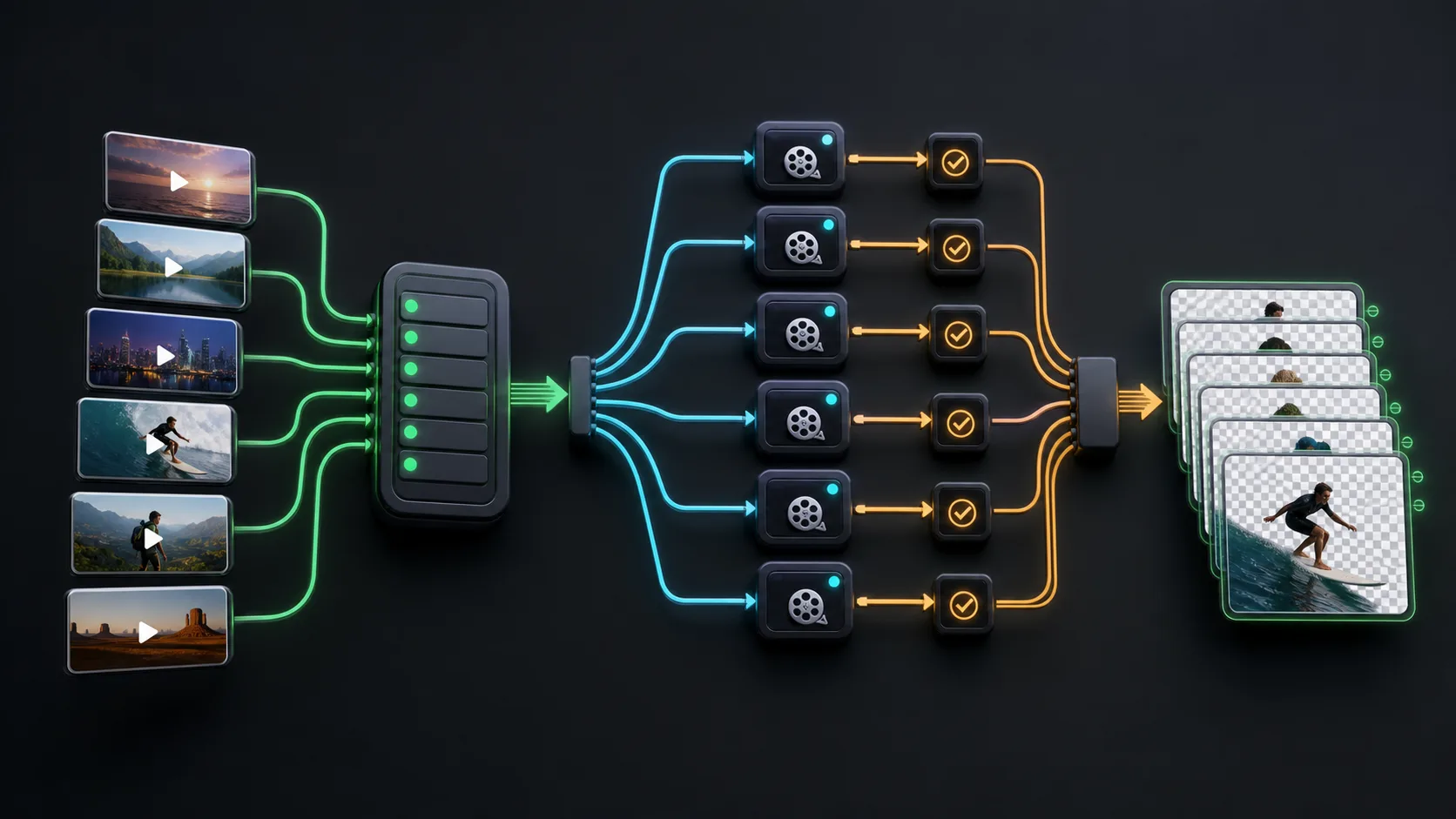
Create a signed upload, send the source directly to storage, create an asynchronous job with the intended output type, then poll or receive completion before using the signed download URL.
Open API documentationDecision map
From source clip to useful output
Define the destination
Decide where “video background remover API” must work before choosing a format or background.
Protect the moving edge
Review hair, hands, motion blur, and every place the subject crosses another object.
Test the real delivery
Open the result in the actual browser, editor, presentation, or social workflow.
Video removal is too large and slow for a single synchronous request. Backdrop separates file transfer from job creation, reserves credits when a job starts, processes the video asynchronously, and returns a signed result when work completes.
1. Create and protect an API key
Create the key in the dashboard and store it only on your server. Send it as a bearer token over HTTPS. Never embed a long-lived secret in browser JavaScript, a mobile bundle, a public repository, or a client-visible environment variable.
Authorization: Bearer vbr_live_your_secret_key2. Request a signed upload
curl -X POST https://backdrop.softfieldlabs.com/v1/uploads \
  -H "Authorization: Bearer $BACKDROP_API_KEY" \
  -H "Content-Type: application/json" \
  -d '{"filename":"presenter.mp4","content_type":"video/mp4","size_bytes":1234567}'
The response provides a temporary upload target and an upload identifier. Send the file bytes directly to the signed URL using the required method and content type. Signed URLs expire, so request one only when the file is ready.
curl -X PUT "$UPLOAD_URL" \
  -H "Content-Type: video/mp4" \
  --data-binary @presenter.mp4
3. Create the processing job
curl -X POST https://backdrop.softfieldlabs.com/v1/jobs \
  -H "Authorization: Bearer $BACKDROP_API_KEY" \
  -H "Content-Type: application/json" \
  -d '{
    "upload_id":"UPLOAD_ID",
    "output_type":"transparent",
    "duration_seconds":42
  }'
Choose transparent for WebM alpha, color or image when the final background should be rendered into a normal video, and alpha when your editor needs a separate grayscale matte. Validate the current request schema in the API documentation before integrating.
4. Wait without blocking a request
Store the returned job ID in your own database. Poll the job endpoint with backoff for a simple integration, or use completion webhooks for production systems. Treat queued, processing, and encoding as normal intermediate states. Do not retry by creating duplicate jobs merely because processing takes longer than an HTTP request.
5. Download and persist the result
Completed jobs include a temporary signed download URL. Download the file into storage controlled by your application if it must remain available. Never assume a signed URL is permanent, and do not expose it beyond the audience authorized to access the processed video.
Handle failures explicitly
- 401 or 403: verify the API key and ownership of the requested resource.
- 400: validate filename, content type, output type, and required background fields.
- Insufficient credits: estimate before creating the job and surface a clear user action.
- Processing failure: inspect the terminal error and do not create an infinite retry loop.
- Expired signed URL: request or retrieve a fresh authorized download rather than storing the old URL.
Sources and further reading
Frequently asked questions
Can I upload video through my application server?
You can, but signed direct uploads avoid routing large files through your server and reduce bandwidth and timeout pressure.
Should my API request wait until processing finishes?
No. Create an asynchronous job, store its ID, and use polling with backoff or webhooks to learn when it reaches a terminal state.
Where should I store the Backdrop API key?
Store it only in secure server-side configuration. Never expose it in client JavaScript, mobile applications, logs, or public repositories.
Quality gate
Three surfaces reveal different edge problems
Light background
Look for dark contamination, clipped hair, and hard matte boundaries.
Dark background
Look for pale halos, spill, and semitransparent noise around motion.
Final destination
Confirm playback, dimensions, compression, and transparency where viewers will see it.
Run the first API job
Create a key, process a short fixture, and verify every state before connecting user uploads.
Open API documentation